

Appointment Book
A faster appointment book built for nail salons
Schedule clients by technician, time, and service while keeping the appointment connected to check-in, turn management, and checkout.

Your salon day. In one clear view.
See each technician’s appointments, find an opening, and keep the details of every visit together. One shared schedule for the whole front desk.

See every technician, appointment, and opening
Aura turns the daily schedule into a shared visual workspace, so the front desk can understand availability and make changes without piecing the day together from separate calendars.
Scan the team at once
See each technician’s day side by side in one timeline.
Read visits quickly
Color-coded blocks make services, timing, and grouped visits easier to recognize.
Spot open time
Openings and blocked availability stay visible while the schedule changes.
Built for real nail appointments
Build every appointment in one place
Choose the time, technician, visit type, and services from one clear workspace while keeping the client details connected to the appointment.
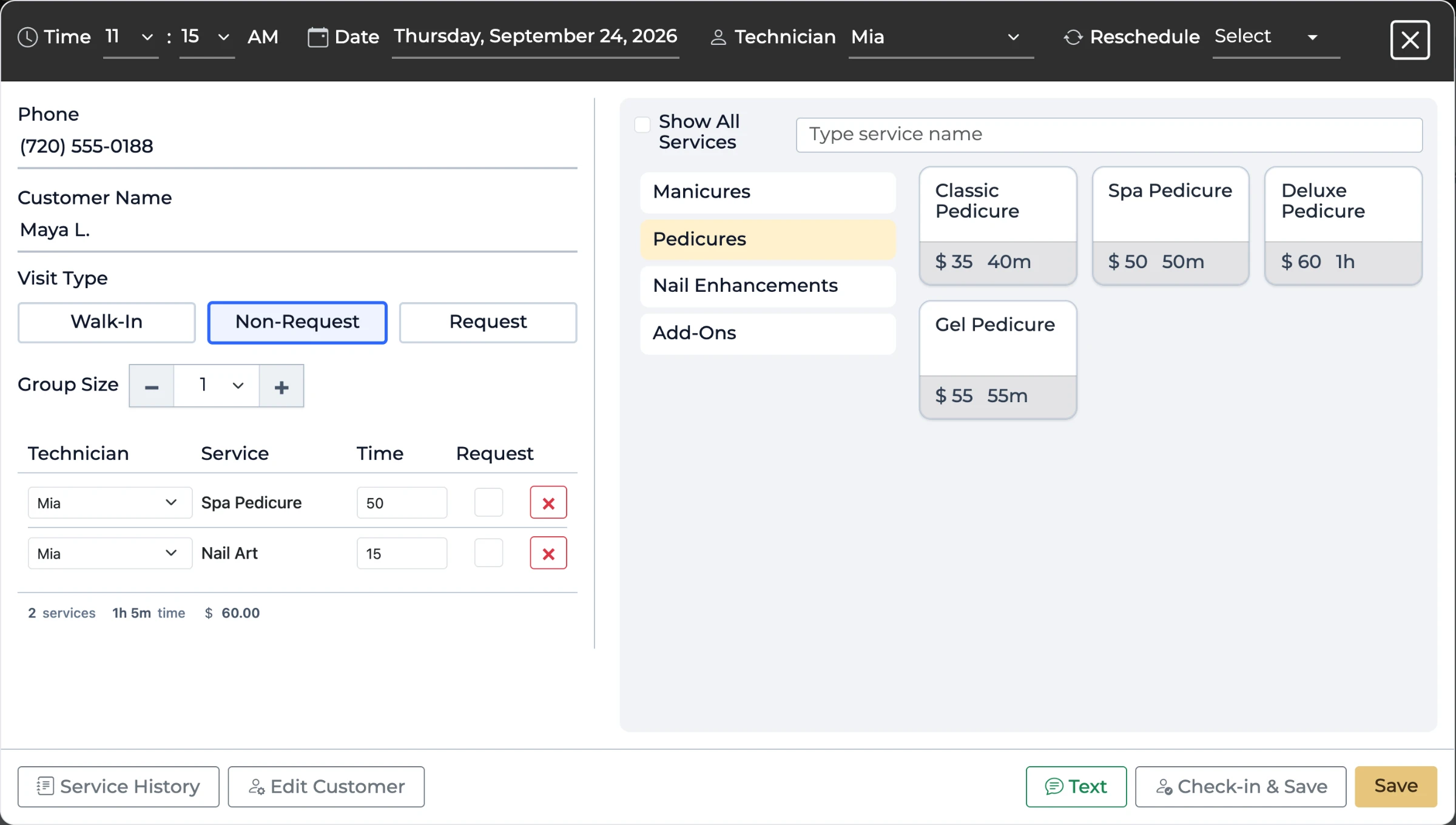
Set the visit details
Choose the appointment time, date, technician, and request type.
Add the client
Connect the customer and group information to the same visit.
Choose the services
See service prices and durations while building the appointment.
At the front desk
Everything about the client, right from the appointment
Open any appointment to see the client’s history, send them a text, or check them in, without leaving the book.
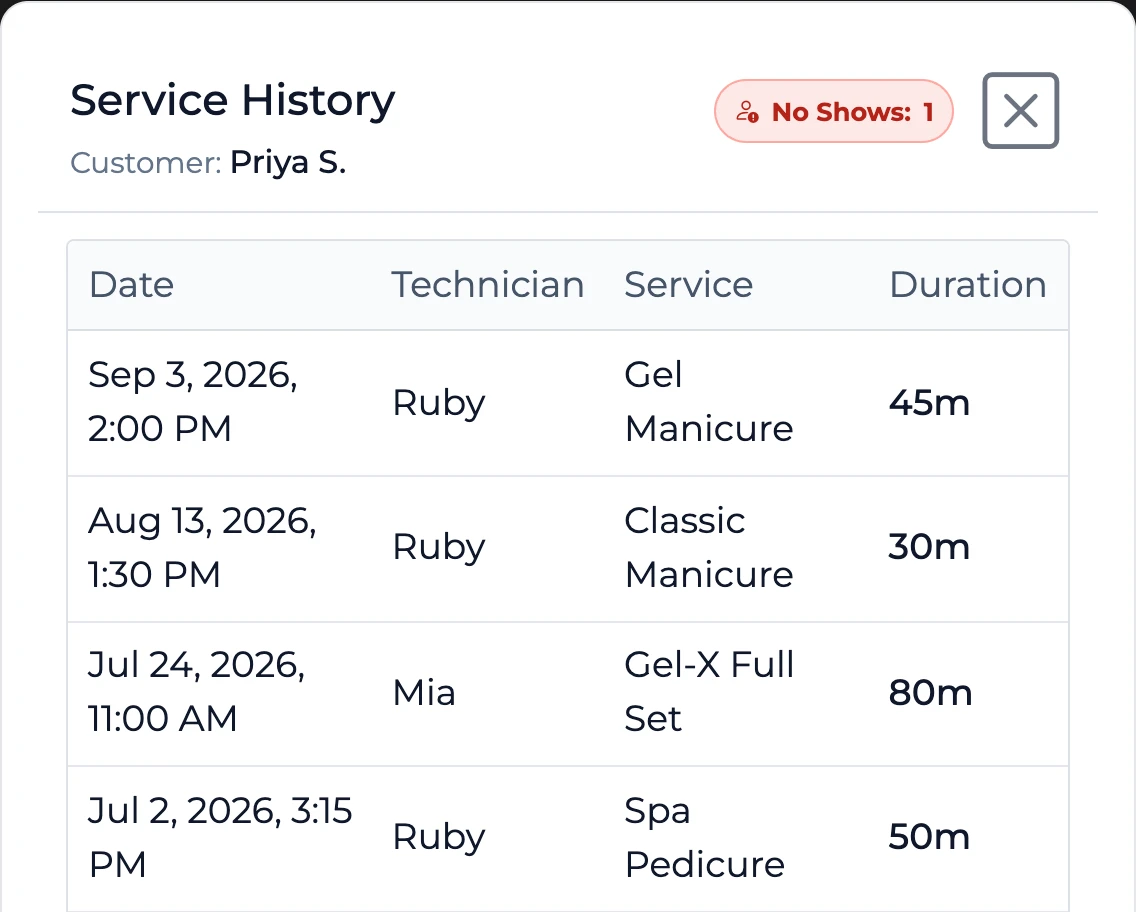
Service history
Every past visit with the date, technician, service and time taken, plus any no-shows. Useful when a client asks for “the same as last time.”
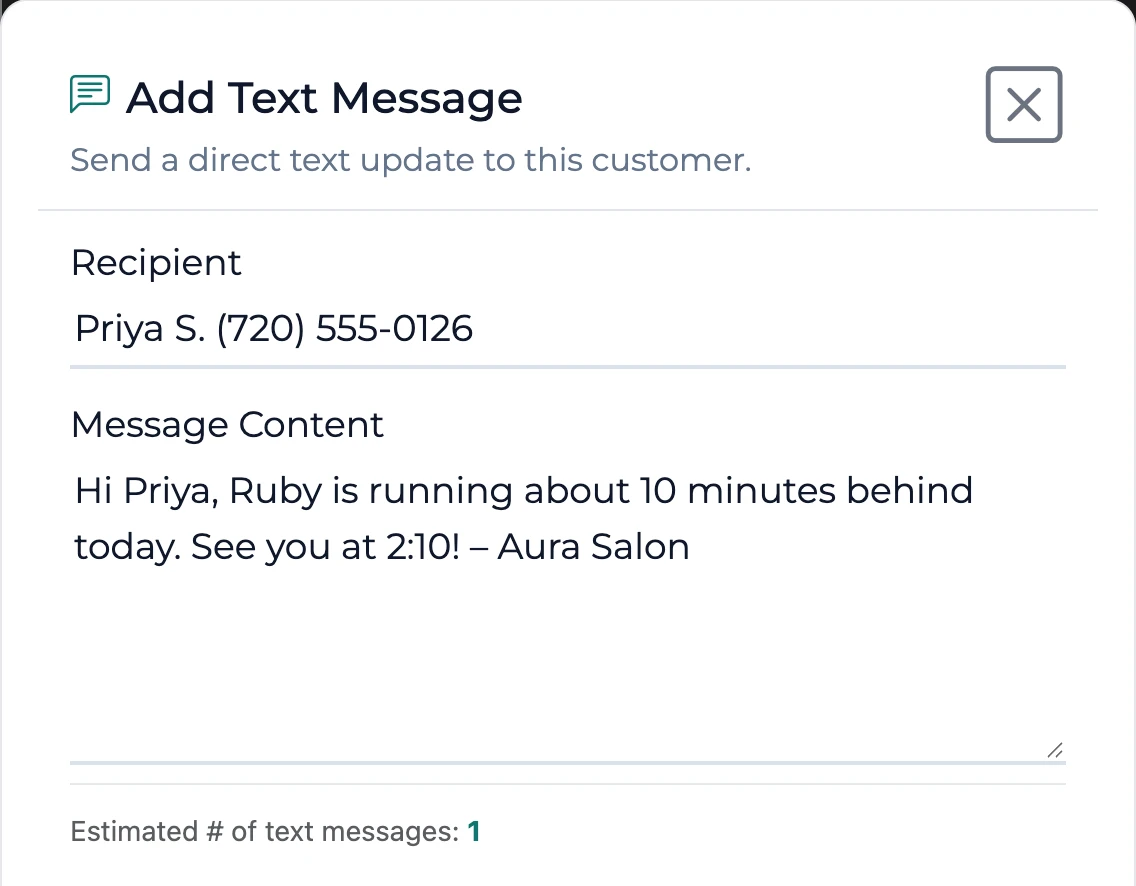
Text the client
Send a one-off message, like a running-late note, and see how many texts it will use. Clients who opted out of texts aren’t messaged.
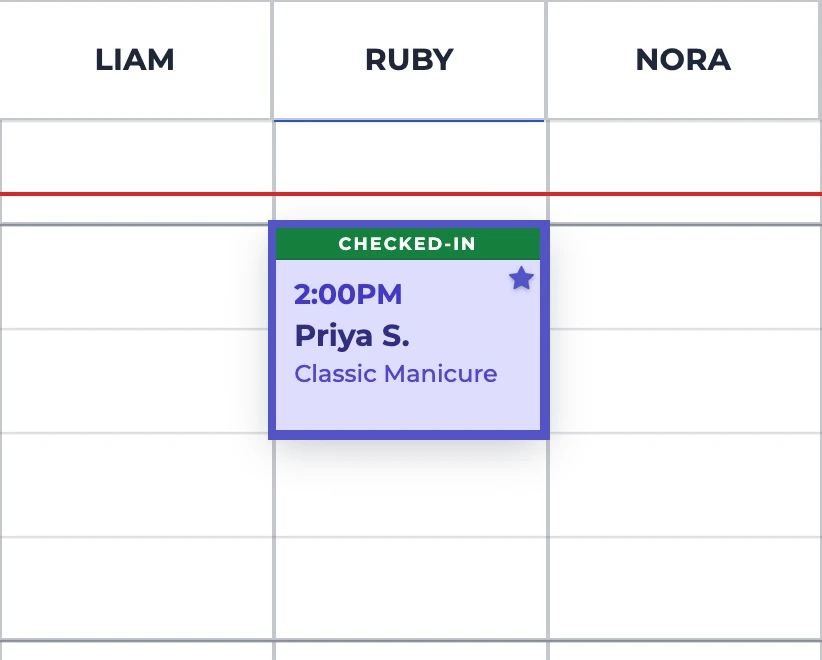
Check in on arrival
One click marks the appointment Checked-In and adds the client to the Turn Manager waitlist with the appointment attached. Walk-ins can be booked and checked in in one step. More on client check-in
Group bookings
Book the whole party at once
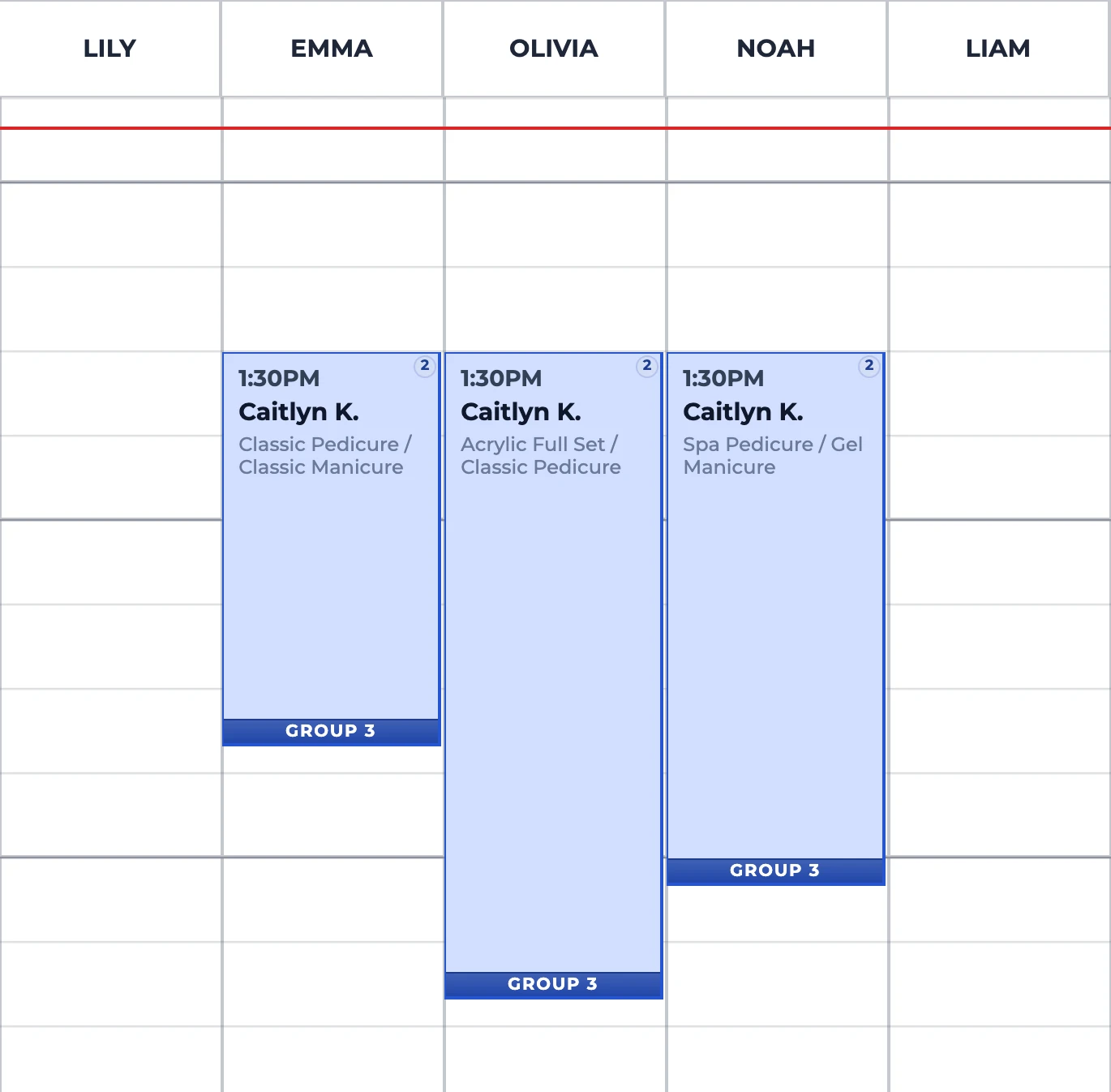
Friends, bridal parties, a mom and daughter: book up to 12 guests under one name and number, and give each guest their own technician and services. Every card in the party carries the same Group bar, so the front desk can see who arrives together, and when the party checks in, every card shows it.
Time blocks
Keep time off the book
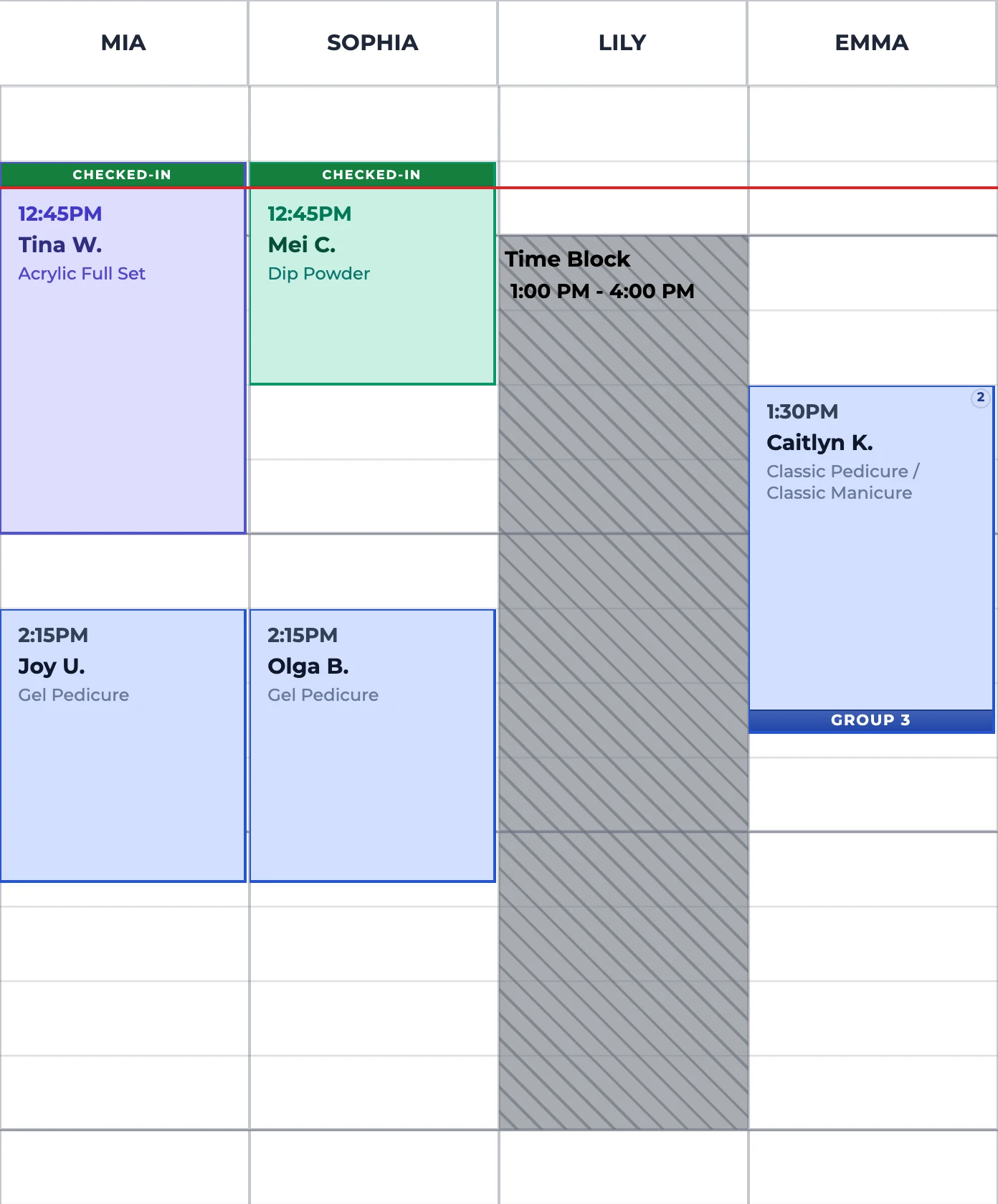
Block a technician’s lunch, a training or an early finish, for a set window or until close. No one can book into it, at the front desk or online, and if staff drag an existing appointment onto blocked time, Aura asks before moving it.
Client communication
Keep clients updated by text
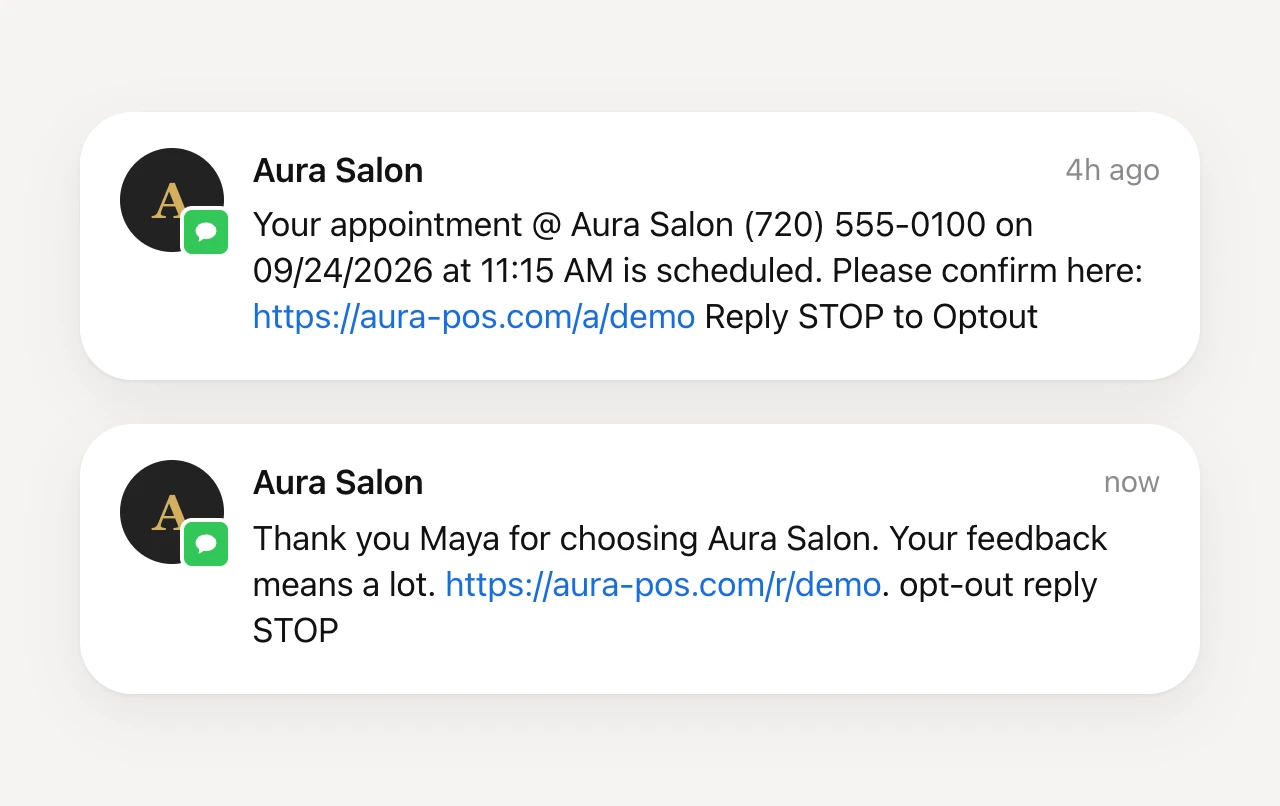
Send appointment details directly to the client’s phone so they can confirm the date and time without another call to the front desk.
After the visit, send a simple follow-up message that makes it easy for clients to share feedback while the experience is still fresh.
Frequently asked questions
Can one appointment include more than one service?
Yes. Aura supports grouped appointments with multiple service rows and technicians when the visit requires them.
Can staff reschedule an appointment?
Yes. Staff can move appointments while Aura keeps the date, technician, service, and customer details together.
Does the appointment book connect to client check-in?
Yes. Appointment details can be used when a client checks in so staff can continue the existing visit instead of rebuilding it.
Do online bookings appear in the same schedule?
Yes. Eligible online bookings enter Aura’s appointment system so the front desk can work from the same salon schedule.
Can the team use the appointment book on more than one screen?
Yes. Connected salon screens can receive current appointment updates so staff are not dependent on one front-desk device.
See how the Appointment Book fits your salon
Walk through your scheduling workflow with an Aura specialist.