

Smart Checkout
Nail salon checkout, from the chair to closed
Every technician, service, tip and payment from the visit stays on one ticket. Close it, and the rest of the salon updates with it.

One ticket, start to finish
Fifteen seconds at the front desk
Liam starts Maya’s ticket and looks her up. Aura offers her reward points, she pays in cash, and the ticket closes with its receipt.

The ticket follows the guest
What happens between the chair and the door
-
Every technician on one ticket
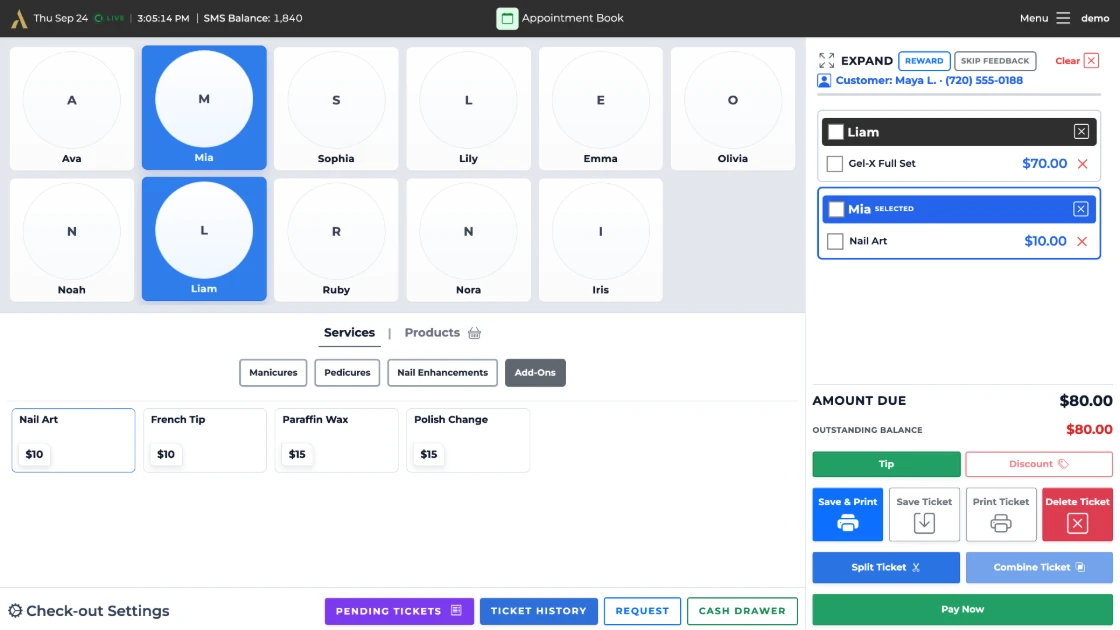
Liam did the Gel‑X and Mia did the nail art. Both go on Maya’s ticket, each under the technician who did it, so the price, the tip and the turn land with the right person.
View full-size image: 
-
Her points come up on their own
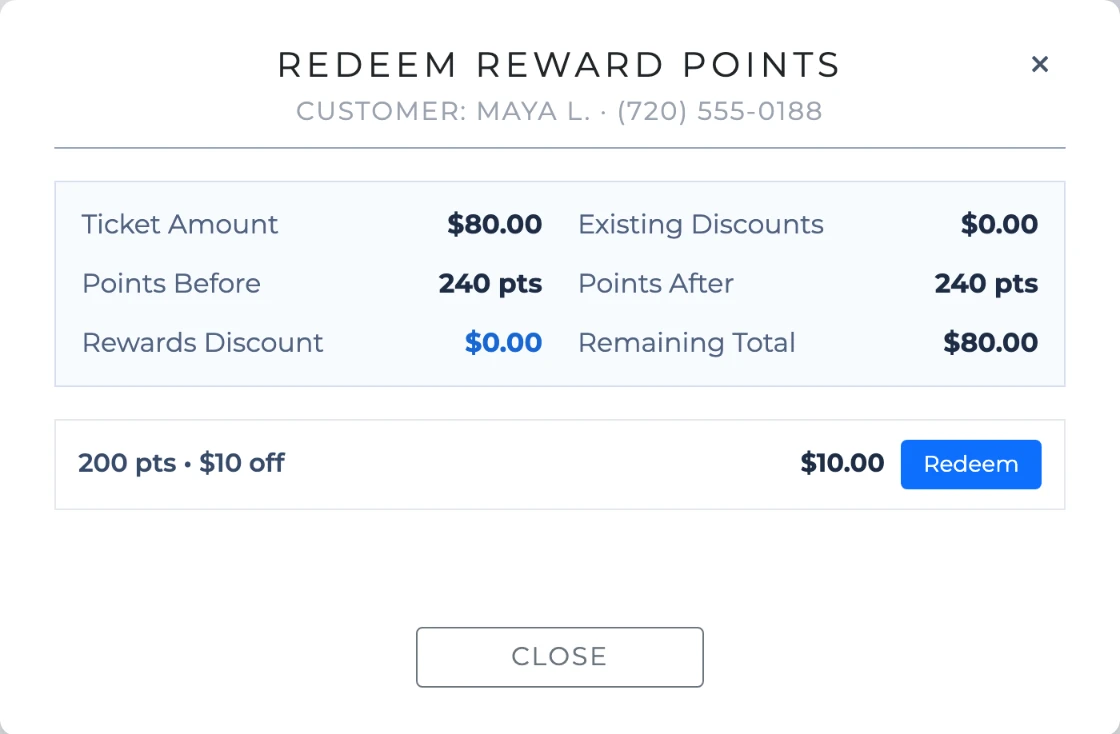
Pick a client with points and Aura shows what she can redeem. Maya has 240 points, enough for $10 off, and one tap puts it on the ticket.
View full-size image: 
-
Saved while her nails dry
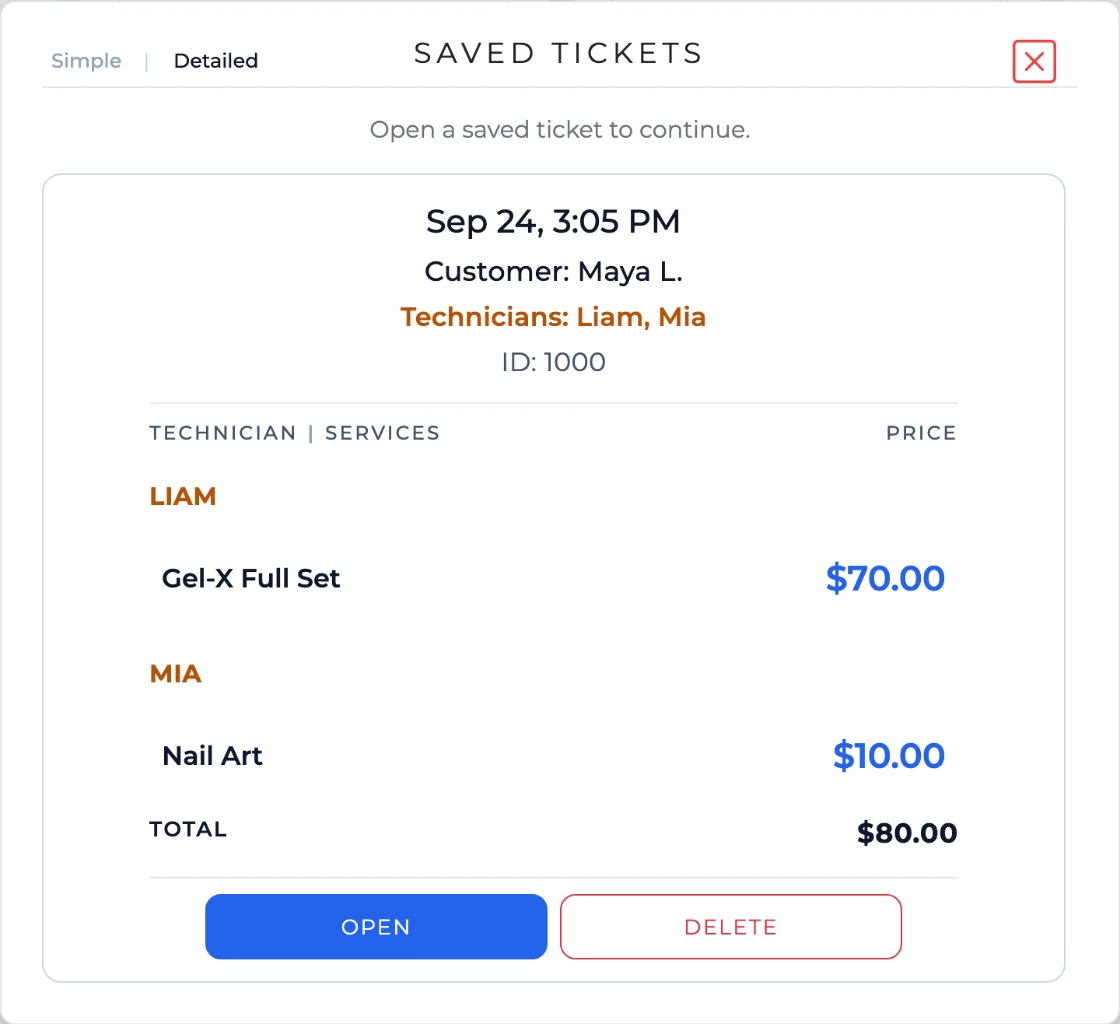
Save the ticket and it waits in Pending Tickets on every checkout screen in the salon until she is ready to pay. Her technicians’ cards carry a badge, so nobody loses track of it.
View full-size image: 
-
However she wants to pay
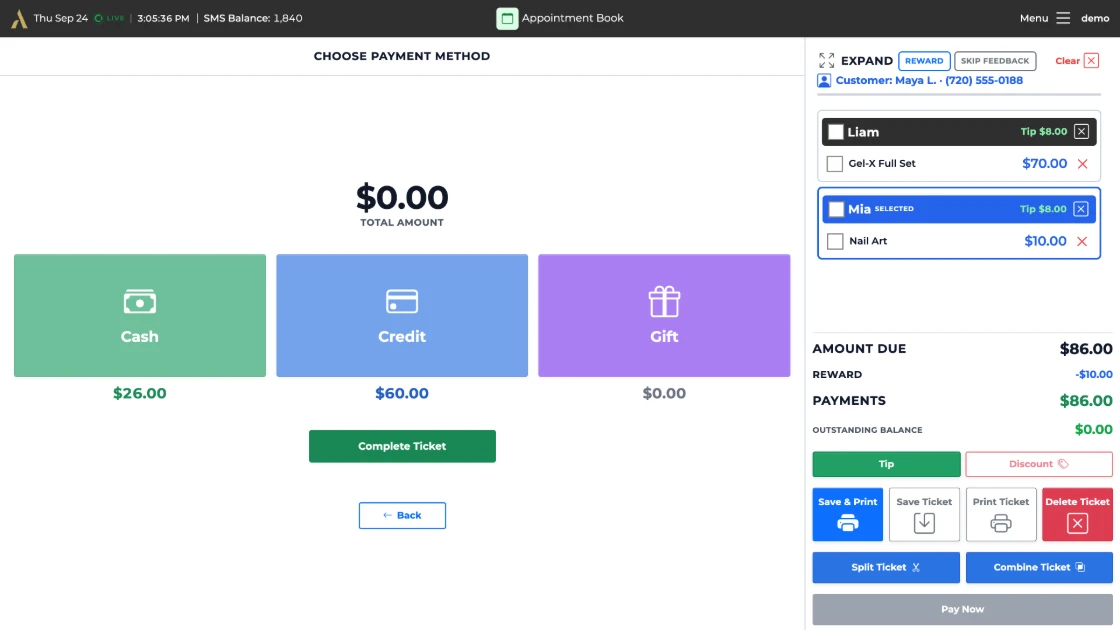
Card, cash, gift card, or some of each. Here $60 goes on her card and the other $26 in cash, and Aura keeps the balance until it reaches zero.
View full-size image: 
-
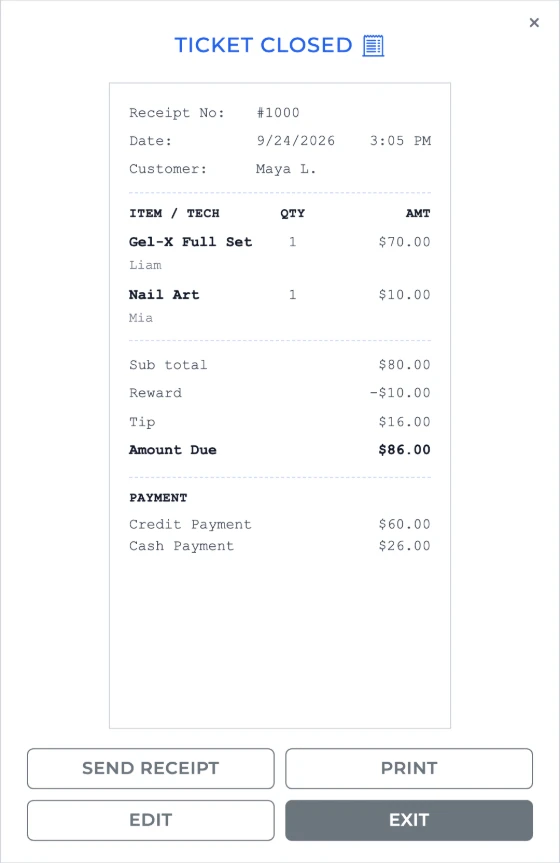
Closed, with the receipt
Complete the ticket and Aura shows the receipt, ready to print, with each service and technician, the reward, the tip and every payment on it.
View full-size image: 
Built for how nail salons pay out
The two questions every salon settles at payday
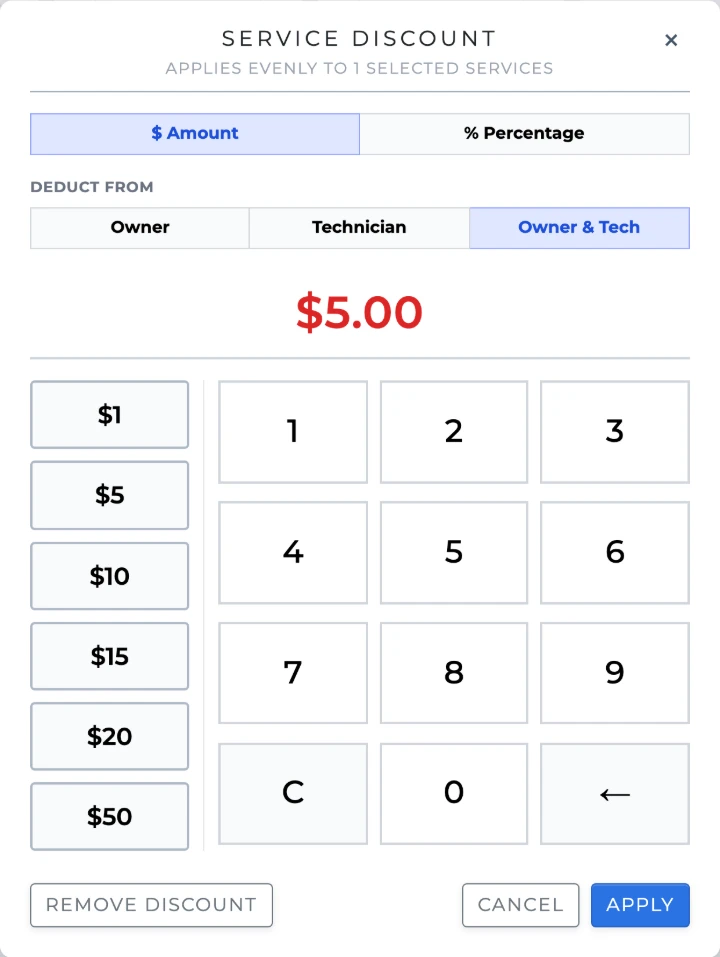
Who pays for the discount
Take it from the owner, the technician or both. Aura records which, so the technician report shows what came out of whose share.
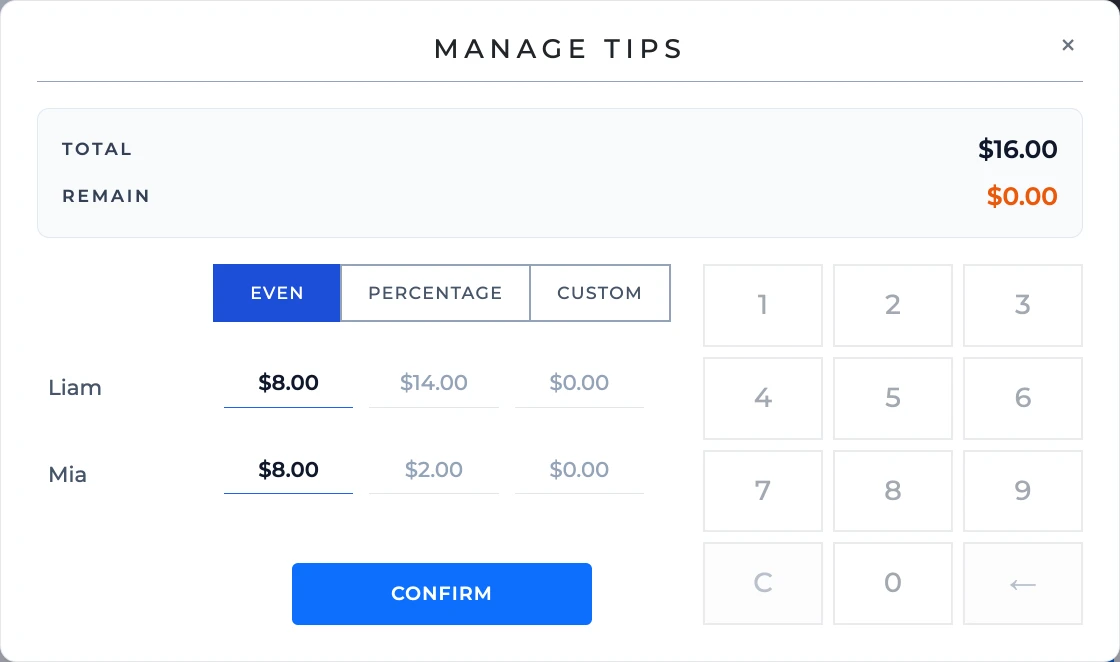
Tips split the way you split them
One tip on a two‑technician visit splits evenly, by each technician’s share of the ticket, or by amounts you type in. Each share stays with its technician.
After you close
One tap updates the rest of the salon
- Turns
- Each technician’s turn is counted on the Turn Manager board.
- Payroll and reports
- Services, tips and discounts go into the day’s reports and payroll.
- Reward points
- The guest earns points for the visit.
- Feedback
- Aura can text her a request for a review, unless you tap Skip Feedback.
- Technicians
- Everyone on the ticket gets a notification that it closed.
- History
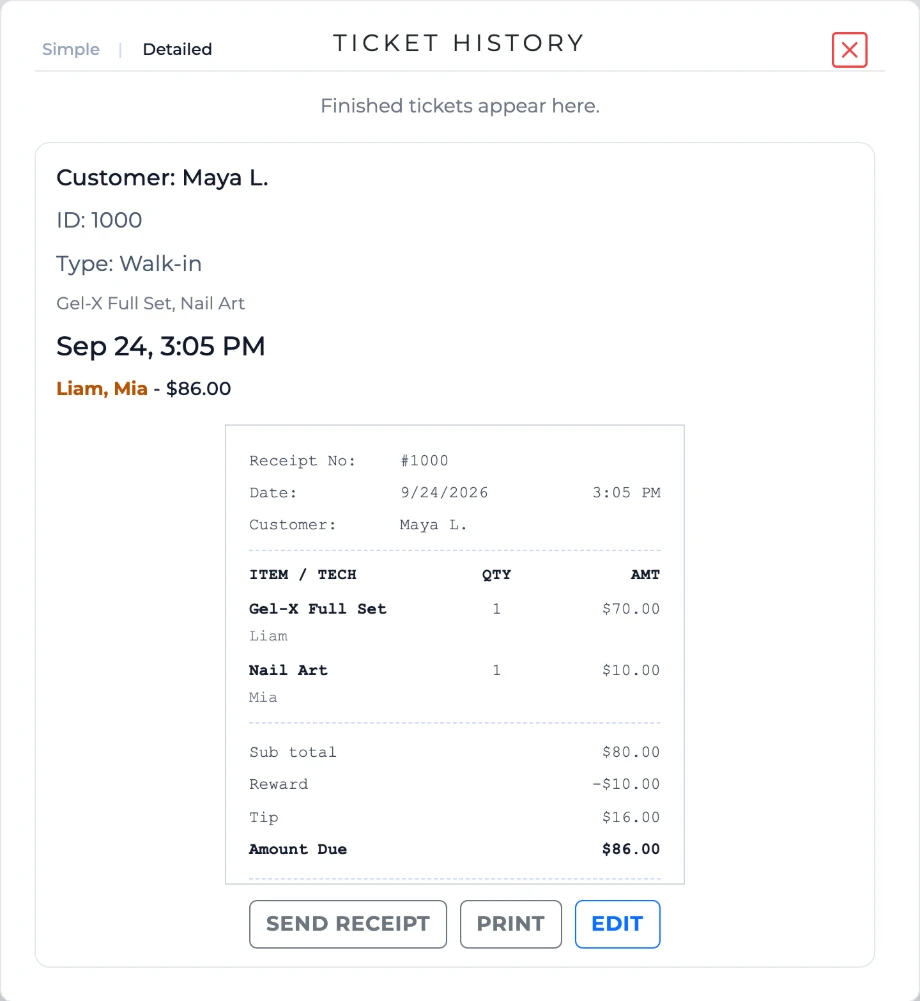
- The ticket stays in Ticket History, to reprint or edit.
Frequently asked questions
Can one ticket include multiple technicians?
Yes. Aura can retain service and tip attribution for tickets involving more than one technician.
Who processes card payments?
Aura partners with Valor PayTech for card processing. Aura records each payment on the ticket and does not store full card numbers.
Does checkout connect to payroll reporting?
Completed service and tip information can flow into Aura’s reporting and payroll calculations, reducing separate manual entry.
Can a guest pay part by card and part in cash?
Yes. Add as many payments as the ticket needs, card, cash or gift card, and Aura shows what’s still owed until it reaches zero.
Can we fix a ticket after it’s closed?
Yes. Open it from Ticket History and choose Edit; you can also reprint its receipt there.
See checkout at your front desk
Walk through a ticket from your salon with an Aura specialist.