


Nail salon software that keeps your front desk, technicians, and clients in sync.

One system, from the front door to checkout
Keep your salon in order with Aura
One screen that tracks technician turns, appointments, and turn order flowing.
Keep track of your technicians' turns and guests, instantly know who's next, and keep the salon running on time. Synchronizes across multiple devices for larger salons.
With our automated mode, you don't even need to touch the turn manager or appointment book, it'll do it for you.

Automatic Turn System
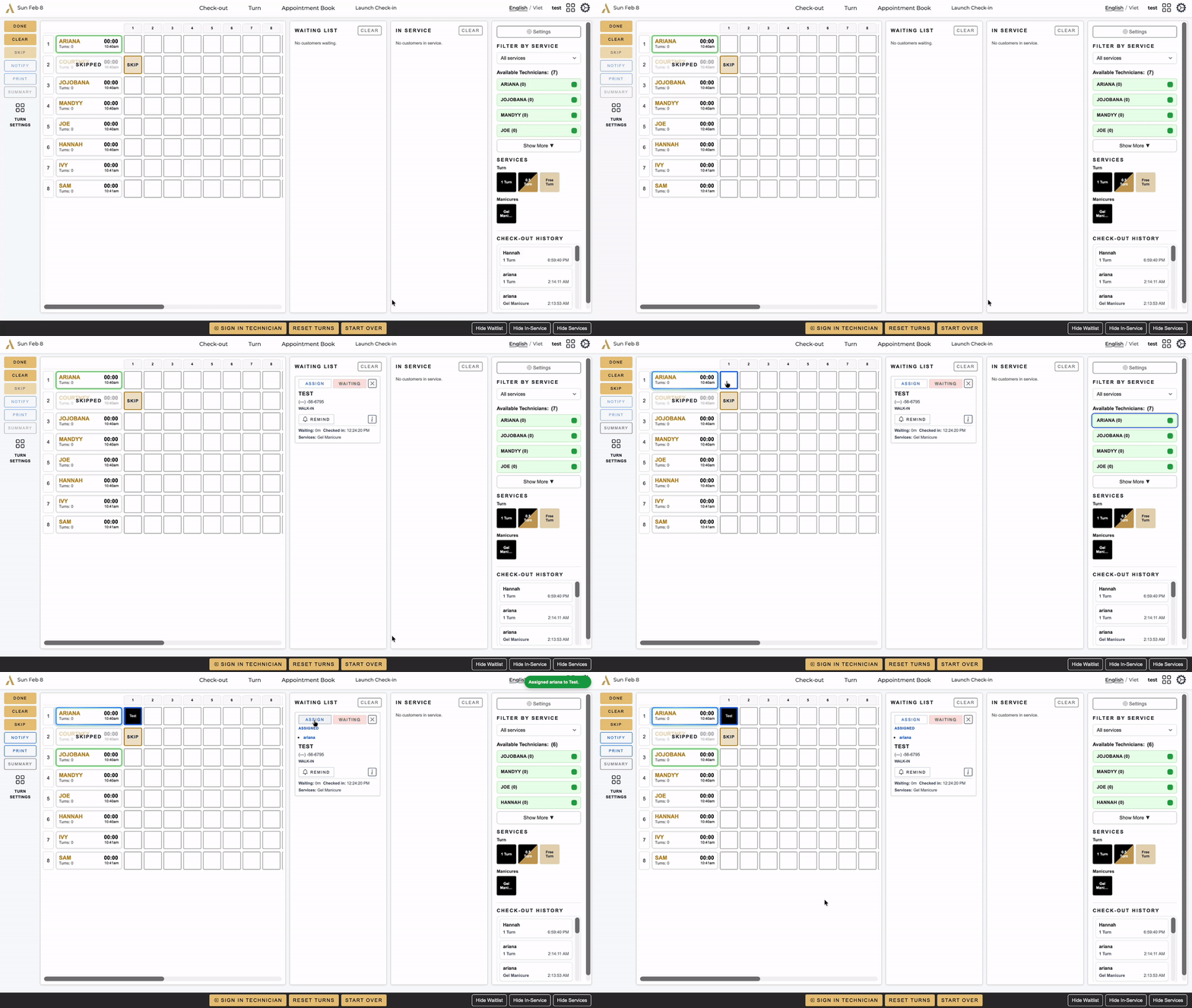
Assign a guest on the turn board, and their appointment moves to that technician by itself.
Learn more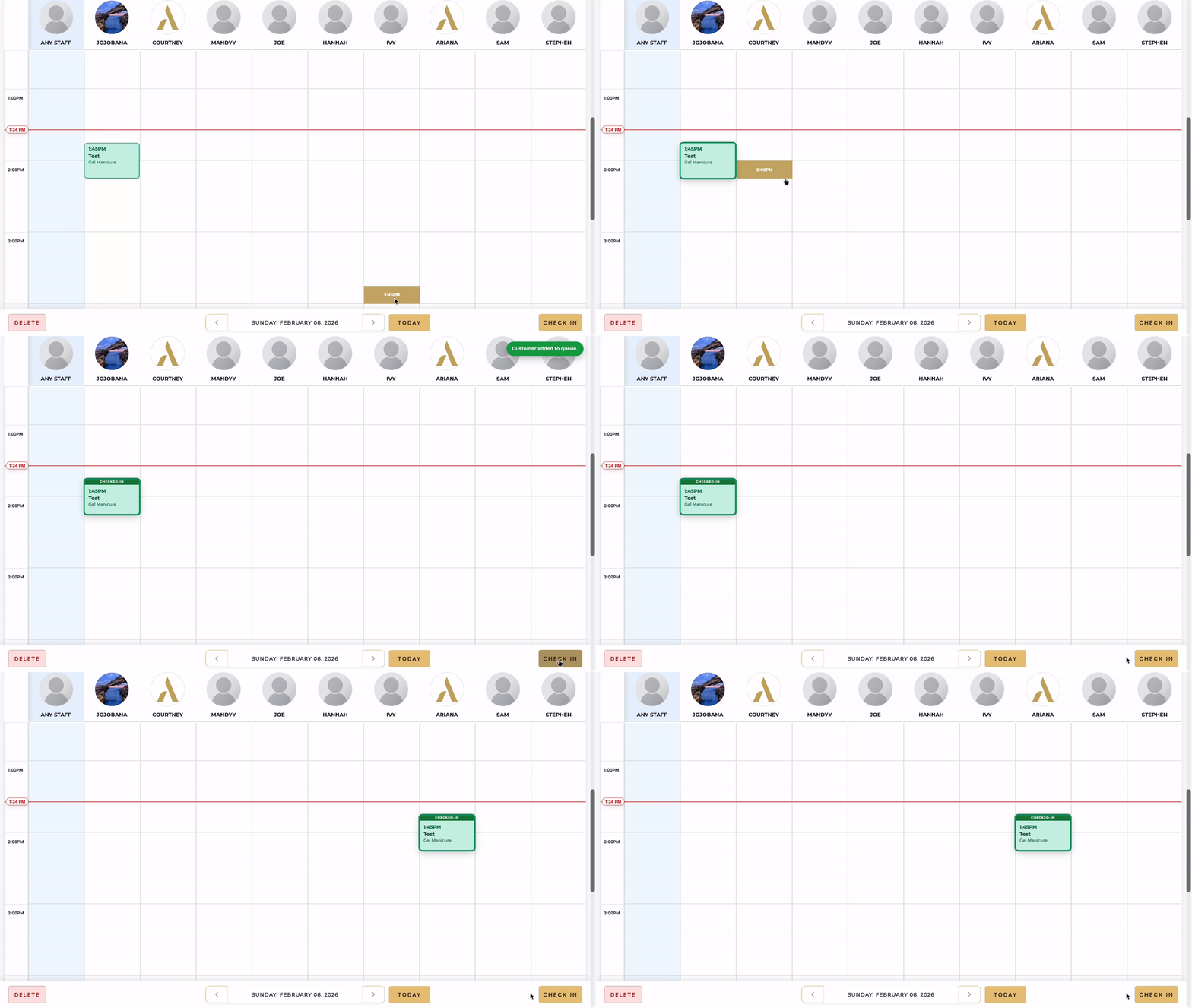
Mobile App - Pager System
Tired of running around the salon to go get technicians? The mobile app serves as a pager system, with turn assignment on the turn management page, it pages the technician to come up to the front right away.
Technicians receive notifications when appointments are created or canceled and when tickets close, then can track their tickets, appointments, and turns in the app and print an end-of-day summary through the salon's printer.
Learn more


Smart Checkout
Aura simplifies checkout from the service chair to the front desk. Technicians can create a ticket that lists the services provided and hand it directly to the client. When the client is ready to pay, the receptionist can scan the ticket, confirm the services, and take payment quickly and accurately.
Because checkout is fully connected to the rest of the Aura system, every completed service updates salon operations automatically. When automatic turn management is enabled, technician turns are calculated from the services completed during checkout, helping maintain a fair and accurate rotation.
Technician earnings flow directly into salon reports and payroll calculations, reducing manual work and making payroll easier to manage. After a ticket is closed, technicians can review the completed transaction in the Aura Staff app, while the client automatically receives a feedback request that salon managers can monitor from the Feedback page.
Learn moreMistakes happen. Aura warns you before they do.

Frequently asked questions
What hardware do I need?
Aura runs in a web browser, so it works on the computers, tablets and phones you already have. For printed tickets, a small Printer Agent for Windows or Android connects your Epson receipt printer.
How does the 14‑day free trial work?
Send us your details through the form and we’ll get your 14-day trial started. No credit card required.
Is Aura available in Vietnamese?
Yes. This website is in English and Vietnamese, and the Turn Manager, the screen your front desk uses all day, can be switched to Vietnamese in Settings.
Does it work for more than one location?
Yes. Each location runs on its own Aura account, with its own staff, services and turn board.
Salons using Aura
Aura is currently used by these salons:


Get in touch with us!
We’d love to hear from you. Send us a message and we’ll respond as soon as possible.